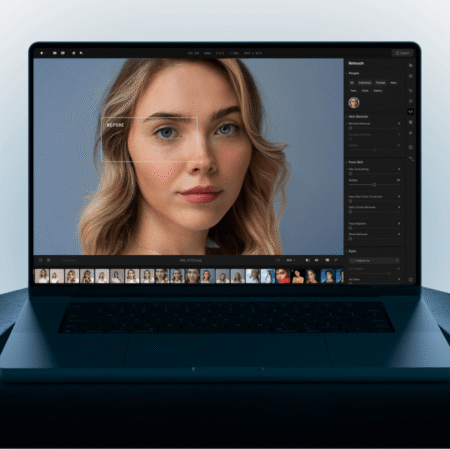

Professional photography has always been linked to complex tools and long editing sessions. For many people, this barrier makes photo editing feel intimidating. That’s where Skylum steps in. By creating software that blends professional-level results with an easy learning curve, they’ve changed how creators, photographers, and everyday users approach image editing.
TLDR
-
Skylum develops Luminar Neo and other AI-powered editing tools.
-
Key features include sky replacement, portrait retouching, background removal, and noise reduction.
-
Designed to make editing quick, intuitive, and accessible without sacrificing quality.
-
Offers presets, LUTs, and creative assets through its marketplace.
-
Perfect for beginners, hobbyists, and professionals who want efficient workflows.
Simplifying the complex
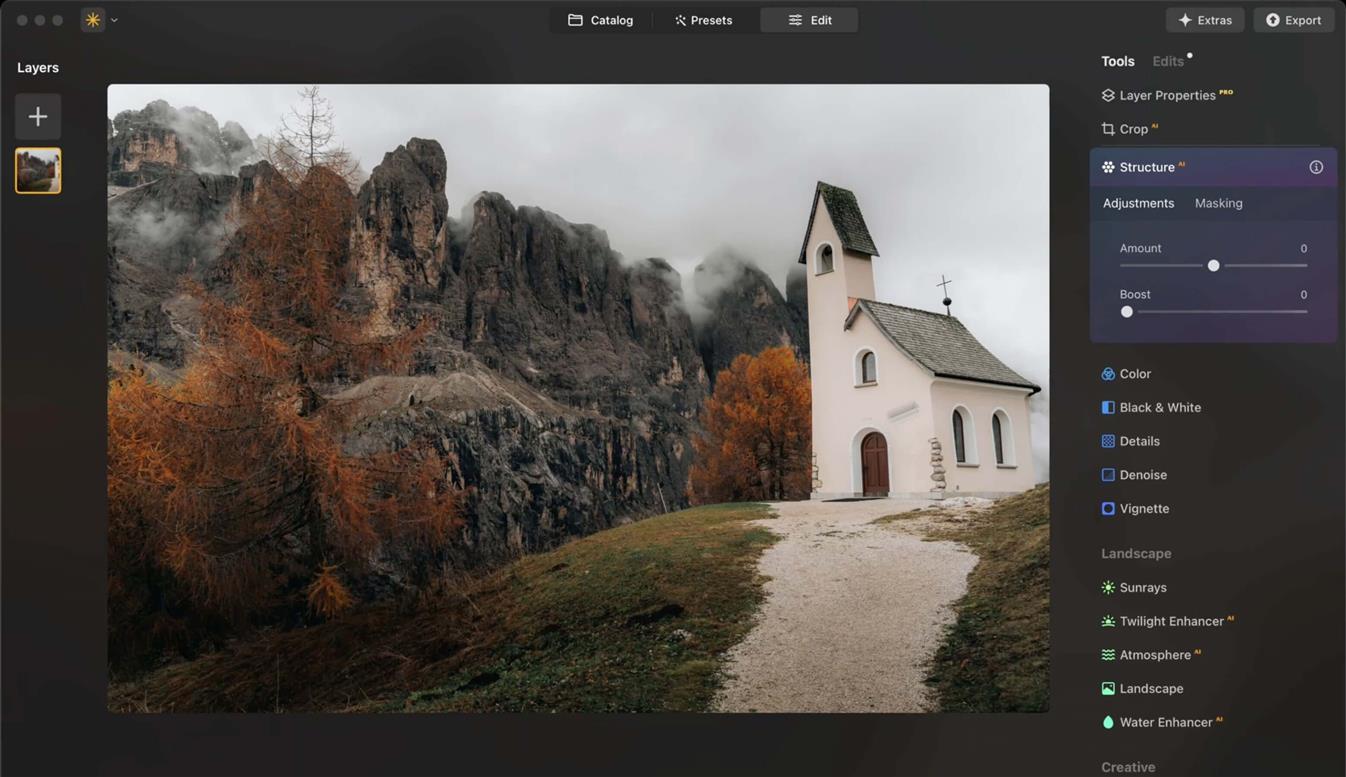
The most popular product from Skylum is Luminar Neo. This software takes tasks that normally require hours of practice and makes them accessible in a few clicks. Features like automatic background removal or AI-driven sky replacement demonstrate this. Instead of needing multiple adjustment layers and manual masking, users can apply changes almost instantly.
What makes it effective is not just speed but the balance between control and automation. You can fine-tune adjustments if you want more precision, but you don’t have to start from scratch every time.

Designed for creativity
Photography is not only about fixing flaws. It’s about creative expression. Skylum understands this by offering a marketplace full of assets: LUTs, overlays, skies, and templates. These resources allow photographers to experiment with styles, create moods, and build consistency across projects. For content creators looking to develop a recognizable aesthetic, these add-ons are invaluable.
Portraits made easier
Portrait editing has traditionally been one of the hardest skills to master. Skin retouching, lighting adjustments, and background control require both technical knowledge and artistic sensitivity. With Skylum, even beginners can achieve professional results. Features like face recognition and AI skin enhancements make it possible to deliver polished portraits without over-editing.
Efficiency for professionals
While accessibility is a major selling point, Skylum also appeals to working photographers. Batch editing, advanced noise reduction, and integration with existing workflows allow professionals to save time. By streamlining repetitive tasks, the software frees up energy for the creative side of photography. This efficiency makes it more than a tool for casual users it becomes a reliable companion in professional environments.

Accessible anywhere
Skylum doesn’t just stop at desktop tools. With Luminar Mobile, editing on phones or tablets is just as practical. This is crucial for creators who need to edit quickly for social media, clients, or travel photography. The consistency between desktop and mobile ensures that no matter where you are, your tools are reliable.
Why people choose Skylum
The appeal of Skylum comes down to this: professional results without the steep learning curve. Instead of spending years mastering every technical detail, users can focus on their vision. Beginners feel empowered to produce images that stand out, while professionals appreciate the time saved on tasks that normally slow them down.
Final thoughts
Photo editing doesn’t need to be overwhelming. By combining AI tools, creative assets, and a user-friendly design, Skylum makes pro-level editing simple. For anyone who wants to transform photos without endless trial and error, this software is the shortcut to better results.
Other Articles

Ted Baker Men’s Dress Shoes: Polished Footwear for Modern Life